
KWS solution page
NexuzHealth logo

Smart speech recording in Flemish hospitals

Start recording gif

Up and running in 1, 2, 3

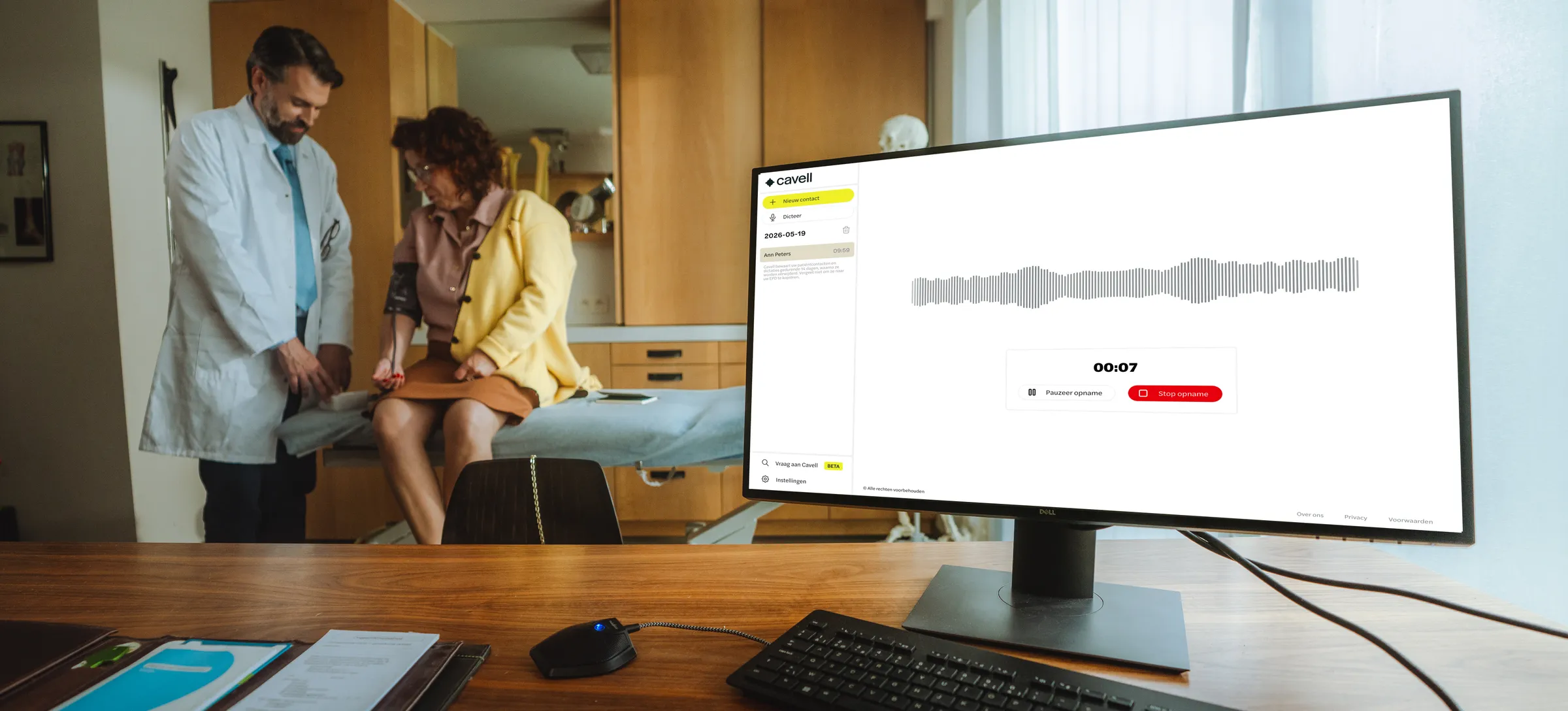
Open the consultation as you usually would in KWS, tick informed consent and press start. You only need to set up the template once. From that moment on, Cavell listens in discreetly via the external Cavell microphone, which connects easily through USB. No cumbersome setup, you focus on the conversation with the patient, Cavell listens in the background.

Technology that fits the way you work

Every language, every accent

Run your consultation in the patient's language, including regional accents. Cavell follows along and delivers a structured, professionally formulated report. You do need to speak the language yourself, so that you can review and approve the report.

From spoken language to written language

Use natural language during your consultation. Cavell automatically translates it into professionally formulated medical reports.

Easily dictate additions

Need to add or change something? Cavell Dictate is available to all users with a Cavell licence, letting you easily dictate in any text field inside (or outside) KWS. Cavell instantly converts it into clear, correctly formatted text.

Tailored to every specialty

Because Cavell knows that every specialty has its own important nuances, Cavell offers many specialty-specific templates. This lets you get started with Cavell right away, without endless configuration.

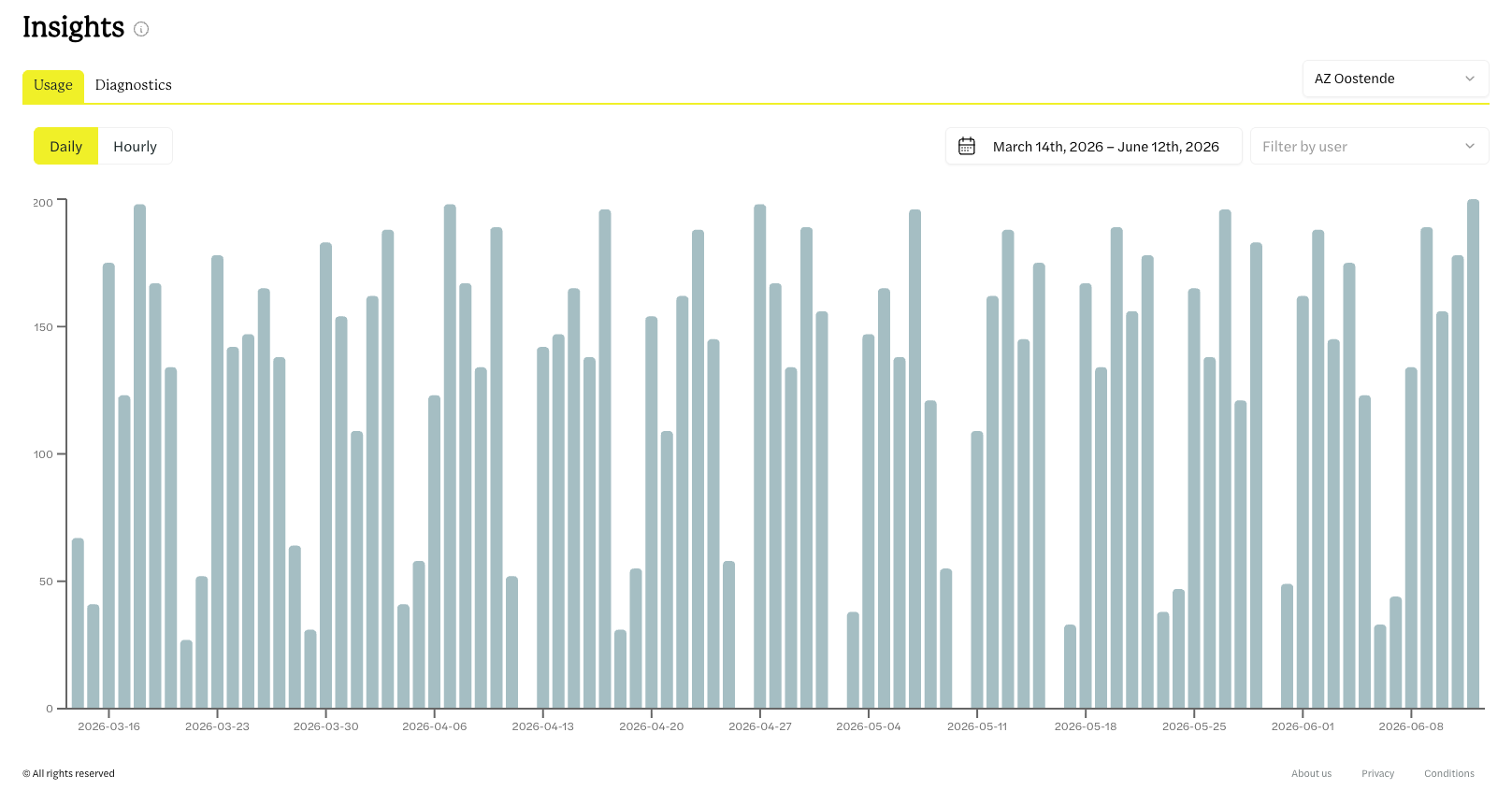
KWS dashboard screenshot

Everything under control in one dashboard

  • Assign licences
  • User dashboard
  • Adoption insights

Tailored to the healthcare professional

Cavell is designed to fit the workflows of healthcare professionals, from specialists and nurses to therapists.

Medical specialists Nurses Therapists

Proven in practice

Tested in extensive pilot studies at UZ Leuven and AZ Oostende

4.50/5

Ease of use

4.86/5

Patient interaction

4.58/5

Less admin

4.33/5

Report quality

Frequently asked questions

Is Cavell safe?

Cavell was built to the highest standards of data security and privacy. To back this up, Cavell has achieved the ISO 27001 certification. In addition to internal investments in cybersecurity, Cavell also relies on leading advisers in the field of data security.

What happens to the medical data I process with Cavell?

Because data security and privacy are central to Cavell, no medical data is stored on Cavell's servers. After Cavell has processed the information, the end result is removed from Cavell's servers and stored (encrypted) on your computer. Audio recordings are never stored.

Does Cavell comply with GDPR privacy legislation?

Cavell complies with GDPR privacy legislation. In addition to internal investments, Cavell also relies on leading advisers in the field of Belgian and European privacy legislation.

How can I best use Cavell?

Most of Cavell's solutions are integrated into existing software packages, so your consultation notes, letters, SNOMED CT codes, etc. are automatically synchronised with the right patient record. If Cavell does not integrate with your EHR, you can always use Cavell's web-based standalone solution and copy and paste the output into your EHR with two clicks.

Which languages does Cavell support?

Cavell supports Dutch, French, German and English out of the box. In addition, Cavell also supports most other European languages, albeit to a limited extent.

Is it difficult to learn how to use Cavell?

Cavell has been designed to be as user-friendly as possible. That is why Cavell automatically offers 40 templates, adapting itself to many medical specialties.

Is Cavell a diagnostic tool?

No. Cavell can only be used for medical administration. Cavell was not designed to make medical interpretations, to diagnose, or to perform other medical acts.

Do I need to check Cavell's output?

Yes. While Cavell is designed to be as accurate as possible, errors can occasionally occur. As a healthcare provider, you always retain final responsibility for the medical documentation you manage. Always check the generated output for errors and/or omissions.

How can I install Cavell?

Cavell works directly from within KWS and therefore requires no installation. Contact the IT department at your hospital, or create an account yourself via self-sign-up.

Do I need patient consent to use Cavell?

Because Cavell uses AI models to generate the resulting report, its use falls under the EU AI Act. Under the EU AI Act, users of Cavell must therefore meet transparency requirements, meaning that patients on whom Cavell is used must be informed about its use. To support this, Cavell provides various resources (general questions link), a microphone mat with a QR code to the patient page, and flyers explaining Cavell. Within KWS, Cavell cannot be used without confirming that the patient has been informed.

Didn't find what you were looking for?

MENU

CONTACT

info@cavell.ai

Polaris Health BV
Lammerstraat 13
9000 Gent

BTW: BE 1008.259.372

SOCIAL

LEGAL

    ISO 27001
    GDPR compliant
    EU AI Act compliant
    Zero data retention